Why Do My Forearms Ache After Gaming?


Quick Summary
Forearm aches after gaming usually come from the same small muscles gripping, clicking, and holding one position for hours with little change. Sustained grip, repeated motion, and a fixed wrist posture all load the tissue. Loosening your grip, keeping your wrists near neutral, and taking short breaks help ease forearms ache gaming sessions.
- Hold controllers and mice with a light, steady grip rather than squeezing hard.
- Keep the wrist close to straight, roughly within 15 degrees, during long sessions.
- Take a 2-minute pause every 30 to 45 minutes and let go of the controller or mouse.
- Keep elbows at roughly 90 to 110 degrees with forearms resting on the desk.
- If numbness, tingling, or weakness persists, see a doctor or physical therapist.
Table of Contents
- Why Your Forearms Ache After a Long Gaming Session
- How Forearm Tightness From Gaming Develops
- Gaming Posture and Forearm Tension: What to Check
- Gaming Breaks and Stretching to Reduce Forearm Strain
- Using Forearm Self-Massage Tools After Gaming
- When Forearm Aches Need a Professional's Attention
- Setting Up Your Next Gaming Session to Protect Your Forearms
- Frequently Asked Questions
Why Do My Forearms Ache After Gaming?
Last Updated: October 30, 2026
Why Your Forearms Ache After a Long Gaming Session
Many players notice tightness after a long session, once the game ends and they reach for a cup or open a door. For some, the forearms feel tight late into the evening and feel more comfortable by morning.
A few details explain why this happens:
- Sustained grip: Holding a controller tightly keeps forearm muscles working even when you're not moving much.
- Repeated motion: Clicking, scrolling, and thumb movements repeat thousands of times per session.
- Fixed posture: Keeping your wrists bent for hours limits blood flow and loads the same tissue.
Knowing these patterns makes it easier to change them. The sections below walk through how tightness builds, what to check in your setup, and what you can do about it.
How Forearm Tightness From Gaming Develops
Forearm tightness rarely comes from one bad session. For more general self-care ideas on easing tightness from repetitive hand and arm use, see treating this kind of strain at home.
The usual sequence looks like this:
- Muscles stay contracted during long sessions with little rest.
- Small amounts of strain can build up in the tendons and muscle fibers over repeated sessions.
- The forearm may stay tight between sessions for some players.
This is why the same amount of gaming can feel fine one week and sore the next. Rest between sessions gives the muscles time to settle, and long streaks without breaks leave less of that time.
Grip pressure and controller holding
Many players squeeze their controller harder than the game requires. Tense grip keeps the forearm muscles engaged even during quiet moments, like menus or cutscenes.
Signs you may be gripping too hard:
- Your knuckles look white during intense moments
- Your fingers feel stiff when you let go
- Your forearm feels tight after a match, even with no sharp moments
Try loosening your grip on purpose. A relaxed hold lets the muscles rest between inputs. Some players find that a lighter grip can make inputs feel smoother.
Repetitive clicking and mouse use
PC players often click and scroll for hours, and those small wrist and finger motions add up. A mouse held in a tight claw grip or a high-sensitivity setup that forces big hand movements can increase the load.
Helpful adjustments include:
- Using a mouse size that fits your hand, so your grip stays relaxed
- Keeping your wrist mostly neutral rather than bent up or down
- Moving from your forearm and elbow instead of only your fingers
These changes can spread the work across larger muscles.
Gaming Posture and Forearm Tension: What to Check
Posture matters as much as grip, but the useful question is not "is my posture good?" It is "which joint is carrying the load right now?" Your forearm muscles cross the elbow and the wrist, so the position of both joints changes how hard those muscles have to work to hold a mouse, a controller, or a keyboard.
Measurable setup cues
Instead of eyeballing your desk, use numbers you can check in under a minute:
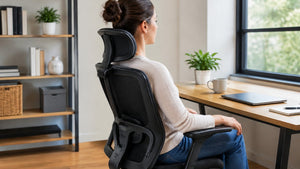
- Elbow angle: Aim for roughly 90 to 110 degrees, with your upper arms hanging close to your ribs. Elbows flared out or pinned tight to your sides both force the forearm to stabilize rather than relax.
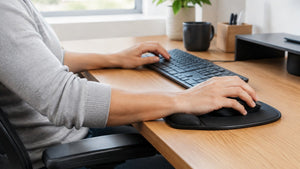
- Wrist angle: Keep the wrist close to straight, think of a line running from your forearm through the back of your hand. A wrist bent up or down by more than about 15 degrees for long stretches keeps the forearm muscles under constant tension.
- Desk edge: Your forearm should rest on the desk, not your wrist. If the hard edge presses into the soft underside of your wrist, you are loading a sensitive area and cutting off the relaxed position your forearm needs.
A quick self-check: sit exactly as you normally play, then look down at your wrists and elbows. If either joint is visibly bent, floating, or pressed against an edge, adjust your chair height first, it fixes more than any other single change.
How play style changes the load
The same posture advice does not fit every setup. The strain pattern shifts with what you are holding:
- Mouse and keyboard: The mouse hand tends to bear the most forearm load. A claw or fingertip grip keeps the forearm muscles engaged continuously, and a high-sensitivity setting that forces big hand sweeps adds repeated wrist motion on top. A palm grip with the wrist neutral and movement driven from the elbow spreads the work onto larger muscles.
- Controller: Both forearms share the load, but a tight two-handed grip keeps them contracted even during menus and cutscenes. Players who rest the controller on their lap or a cushion between inputs give the forearms brief windows to relax.
- VR: Overhead and wide-arm movements load the forearm differently, and the lack of a desk to rest on means the arms are held up for the whole session. Shorter sessions with deliberate arm drops between rounds tend to feel different from flat-screen play.
The between-session check
Posture problems show up as patterns, not single moments. A common pattern is that the forearm feels fine during play and tight the next morning, which usually points to a sustained position rather than one bad input.
Small changes often make the biggest difference. Raising a keyboard, moving a controller to a relaxed resting spot on your lap, or sliding the mouse closer so your elbow stays bent rather than extended can take pressure off the forearms without changing how you play.
Gaming Breaks and Stretching to Reduce Forearm Strain
Most guides say "take breaks and stretch." The useful version is a plan with numbers, a specific routine, and a way to ease back into play after a sore stretch. This section covers all three.
Roleo Arm & Hand Massager – BACK IN STOCK! Effective, easy to use. Our →
A break schedule that fits real sessions
Forearm muscles recover in short windows, so frequent small pauses beat one long break. A practical pattern many players use:
- Every 30 to 45 minutes: a 2-minute pause where you let go of the mouse or controller entirely.
- Every 2 hours: a 10-minute break where you stand up, walk around, and let your arms hang loose.
- End of session: 5 minutes of gentle movement before you move on to other tasks.
Set a timer or use a game's built-in reminder if it has one. The point is not to interrupt flow but to give the forearm muscles a chance to stop contracting, which is when they recover.
A short stretch and mobility routine
Keep each movement gentle and stop short of sharp discomfort. Hold stretches for about 15 to 30 seconds and repeat two or three times.
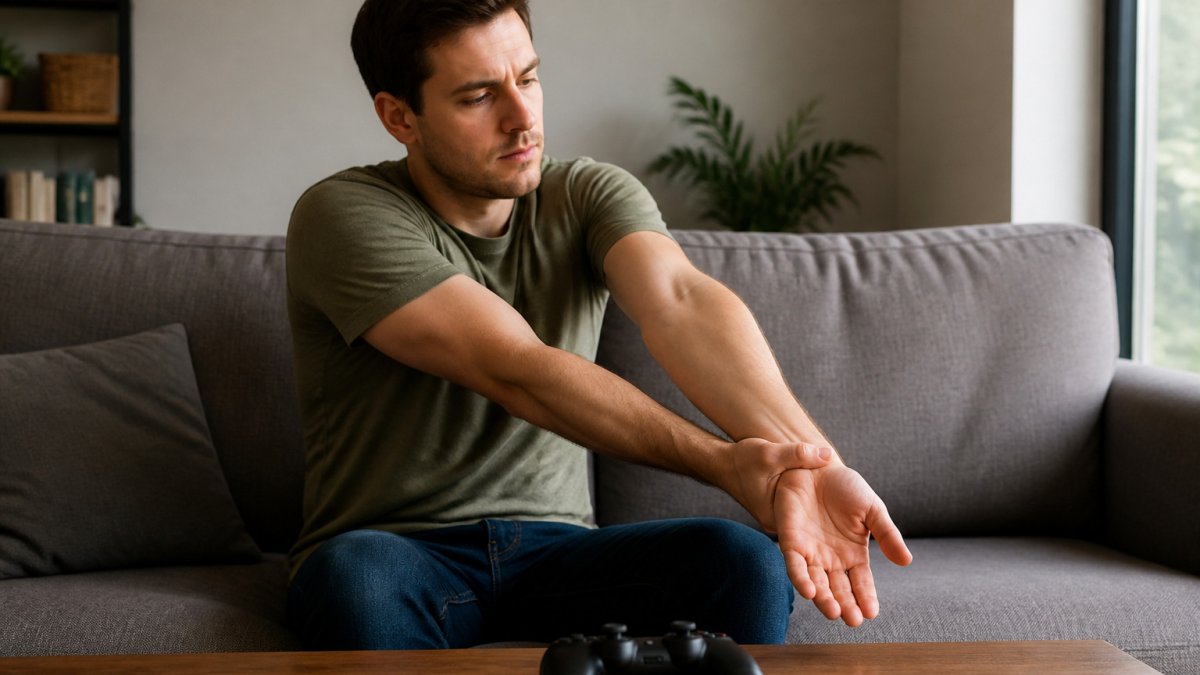
- Wrist flexor stretch: Extend one arm in front of you, palm up, and gently pull the fingers down toward the floor with the other hand. You should feel a mild stretch along the inside of the forearm.
- Wrist extensor stretch: Extend the arm, palm down, and gently pull the fingers down toward the floor. This targets the top of the forearm.
- Fist open-and-close: Open the hand wide, then close it slowly, about 10 times. This moves the forearm through its range without loading it.
- Wrist circles: Make slow circles in both directions, about 10 each way, to keep the joint moving between long fixed positions.
- Forearm rotation: With the elbow at your side and bent 90 degrees, turn the palm up and down slowly, about 10 times.
A gradual return-to-gaming plan
If your forearms have been sore, jumping straight back into a long session tends to bring the ache back. A gradual approach works better:
- Day 1: Play for about half your usual session length, with breaks every 30 minutes.
- Day 2: If the ache has not returned, add about 25 percent more time.
- Day 3 onward: Build back toward your normal session length over several days, keeping the break schedule in place.
If the ache returns at the same session length, drop back a step rather than pushing through. The goal is to find the session length your forearms tolerate and build from there.
What to avoid
- Don't stretch cold muscles hard before play; a few gentle movements are enough to start.
- Don't use deep pressure or aggressive massage on a sore spot right after a long session.
- Don't replace breaks with a single long stretch at the end of the night, the short pauses during play do most of the work.
Consistency matters more than perfection. Start with the break timer and one stretch, then add the rest as they become habits.
Using Forearm Self-Massage Tools After Gaming
Some players like to relax tight forearm muscles after a session.
The Roleo Arm & Hand Massager is one option for self-massage. To see how deep tissue forearm massage is typically done, read deep tissue forearm massage techniques.
Before buying any massage tool, consider a few questions:
- Does it reach the forearm muscles you feel tight?
- Can you control the pressure, so you don't overdo it?
- Is it portable enough to use before or after a session?
If you're weighing whether a tool is worth the cost, compare it against how often you'd use it. This practical breakdown of wrist and forearm massage costs can help you think it through.
Shop the Roleo Arm & Hand Massager if you want a self-massage option built for forearms and hands.

Before picking a self-massage tool, it helps to check a few practical points against what you need.
| Check | What to look for | Why it matters |
|---|---|---|
| Reach | Covers the forearm muscles you feel tight | Targets the area you actually notice |
| Pressure control | You can adjust how hard you press | Avoids overdoing it on sore muscles |
| Portability | Small enough to use before or after a session | Fits into your routine |
| Cost vs. use | Compare price with how often you would use it | Helps judge whether it is worth buying |
When Forearm Aches Need a Professional's Attention
Most gaming-related forearm aches fade with rest and better habits. Some signs suggest you should see a doctor or physical therapist instead of waiting it out.
Get checked if you notice:
- Numbness or tingling that doesn't go away
- Weakness in your grip or trouble holding objects
- Pain that lasts for weeks, even with rest and changes to your setup
Numbness and tingling in the hand are worth having a professional look at. Learn about carpal tunnel syndrome and its common signs to understand what to watch for. A professional can assess what's going on and suggest a plan.
Setting Up Your Next Gaming Session to Protect Your Forearms
Before your next session, run through a quick plan:
- Adjust your setup: Check elbow height, wrist position, and screen placement.
- Relax your grip: Hold the controller or mouse with a light, steady touch.
- Schedule breaks: Set a timer for a 2-minute pause every 30 to 45 minutes.
- Stretch before and after: Use the wrist and fist stretches from the break routine.
- Watch for warning signs: Stop and rest if aches grow sharper or last longer each day.
Consistency matters more than perfection. Start with one or two changes, then add more as they become habits. Most players find that a relaxed grip and regular breaks do the most to keep their forearms comfortable through long sessions.
Frequently Asked Questions
Is gaming 2 hours a day bad for your arms?
Two hours of gaming is not automatically harmful, but comfort depends on how you play. Forearms usually tighten when the same grip and posture are held for long stretches without changes. Taking short breaks, keeping wrists relaxed rather than bent, and loosening your grip on the controller or mouse during play tend to make a session easier on your arms. If the ache lingers well after you stop playing, or spreads into numbness or weakness, that is a reason to speak with a healthcare professional rather than push through.
Why do my forearms feel tight after gaming?
Forearm tightness after gaming usually comes from sustained muscle activity. Holding a controller firmly, making rapid repeated button presses, and keeping the wrist angled for hours all ask the forearm muscles to work continuously. Over a long session, those muscles can feel fatigued and stiff. Changing your grip, resting your arms on a surface, and stretching between matches are habits many players use during long sessions.
Can a gaming mouse or controller affect forearm comfort?
The shape, size and weight of a mouse or controller can change how much effort your hand and forearm need. A device that is too large or too small may encourage a tighter grip or a more bent wrist. Trying different sizes and holding positions, and choosing one that lets your hand rest naturally, can help. Roleo Leg Massager is a roller for calves, thighs and arms, and Roleo Arm & Hand Massager is a non-electric tool for working along the forearm and hand.
When should I seek professional advice about arm discomfort?
See a healthcare professional if forearm or arm discomfort lasts beyond a few days of rest, keeps returning after gaming, or comes with numbness, tingling, weakness, or pain that wakes you at night. Those signs are worth having checked. A doctor or physical therapist can assess what is happening. Self-massage and stretching are general wellness habits, not a substitute for that kind of evaluation.

- Paul Kleiman